Plastic bag making machine troubleshooting
Plastic bag making machine problem solution in Dubai,Ajman,Umm al-Quwain,Abu Dhabi,Sharjah,Fujairah,United Arab Emirates
Plastic Bag Machine is the final step in the manufacturing and processing of plastic bag. If the performance of bag making process isn’t high enough or the quantity of waste is excessive, the previous processes , such as blowing film machine or composite printing machine could end up being used up and downstream customers are likely to have an enormous effects on the manufacturing and operations.
1. What can I do if my bag’s contents leak or become damaged because of the insufficient sealant of the plastic bag machine?
Cause: Low anti-pollution heat-sealability for the film, mostly due to the resin that is used in the sealing layer isn’t suitable for.
Countermeasures: Select a film that has excellent anti-pollution heat-sealability. The general rule is that ldpe has moderate anti-pollution heating capacity. EVA is a good anti-pollution heat sealability in the event that the VA contents are large. Ionic resin and metallocene-based polymer It is extremely effective in preventing pollution heat-sealability.
2.What can I do when the seal of the plastic bag machine isn’t as strong?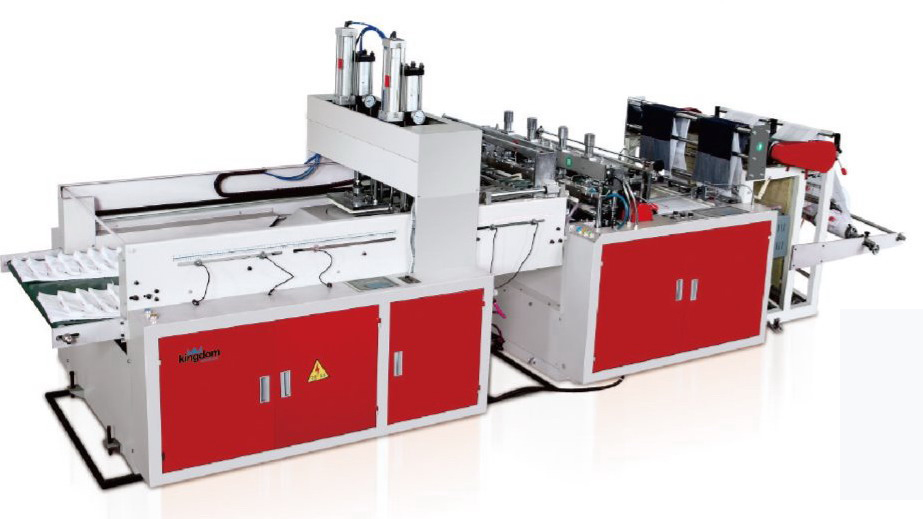
Video of plastic bag machine
Reasons:
1. The temperature of heat sealing is excessively high.
2. The pressure is too high.
3. The time to seal heat is too long.
4. Edge of upper section of the sealer sharp or the PTFE coating is damaged.
5. The seal on the bottom is Silicone rubber that is too for the job;
6, in the process of compounding and curing during the curing and compounding process, a portion of the adhesive gets absorbed into the film. When the substrate is impacted by the adhesive. As a result, the hardness (that is, resistance to impact) has diminished and the brittleness grown;
7 Plastic composite baggies for packing Following cooling and putting in place the bags, the durability of the heat seal improves and the bag also begins to harden.
Countermeasures:
1. Based on the heat sealing properties of the outer sealing layer material, choose the right temperatures, pressure, and time to seal the heat;
2. Improve the surface quality of the top heat sealing knife so that it makes the sealer’s surface smooth;
3. Wrap the cloth with polyethylene. The wrapping is still intact.
4. Select a pad made of silicone that is of the right degree of hardness.
What can I do if my bag starts to shrink after being sealant by the bag maker?
The reason:
1. The film’s thickness is variable;
2. The temperature for heat sealing is too high, or the time to seal can be too lengthy.
3. In the heat sealing knife’s longitudinal section The running path of composite films isn’t straight.
4. Insufficient cooling.
5. The time for curing isn’t enough.
6. The film on the surface is not very resistant to heat.
7. Inadequate control of the tension-matching to the substrate of the composite during the process of compounding causes residual stress following curing and setting, particularly in cases where the composite film is smaller this type of failure is more likely to occur.
Countermeasure
1. The tension can be adjusted on the roller floating.
2. Utilize an inner sealing base material that has low temperature heat sealability.
3. Adjust the temperature of the heat seal to the appropriate temperature.
4. It is important to cool down.
5. Create a film that is mature.
6. Re-select the film on the surface.
7. Adjust the tension on each component of the composite processing equipment, and then try to ensure that both substrates shrink the same.
What can I do if I notice that the outer shape of the heat-sealed exterior of the bag-making machine isn’t clear after sealing? (The knife’s pattern isn’t evident)
The reason is:
1. The cooling process is short.
2. The cooling plate is not in good contact with the plate
3. When the pad of silicone is heated, the edges melt.
4. Forces of heat sealing in the longitudinal direction that are not balanced
5. Its edge on the heat sealing knife is sloping and blunt.
Countermeasure
1. Set the cooling time.
2. Adjust the cooling plate to your liking.
3. Adjust or replace the knife that seals heat
4. Avoid melting at the edge due to overheating of the silicon pad.
What can I do if the sealing capacity of the bag maker is weak after sealing?
the reasonfor this:
1. The adhesive contained in the composite film hasn’t been properly cured.
2. The conditions for heat sealing are not appropriate.
3. Between the knife that seals the temperature and the cooling knife is too long.
4. There is an issue with the inner layer of sealing.
5. The ink’s heat-sealability is weak, resulting in a reduction in the strength of composites of the film in the sealed part.
6. Dust and spray powders as well as other substances stick on the cover.
7. The strength of the composite is not high or the strength of the heat sealed place decreases too much.
Countermeasures:
1. Help to promote the hardening process of adhesive (curing or curing) by preserving heat and aging. This will improve the strength and resistance to heat of the film.
2. Find the ideal conditions for heat-sealing (temperature as well as time and pressure) in accordance with the structure of the material, its heat-sealing state and so on. Or, you can enhance the method of heat-sealing, and then cool down right away after the heat-sealing process.
3. Examine the shelf time and storage conditions of the film that is heat-sealable. If the film is made of the film from the previous batch and also the film has been sealed with heat requires special attention, it is recommended to do so.
4. The thickness of the film that can be heat-sealable.
5. Modify the type and the grade of the film that can be heat-sealable and choose a film that has anti-pollution heat-sealability.
6. Verify that the quality of the adhesive meets standards (the release of low-molecular substances in the resin can alter how the glue is made)
7. Improve the heat sealing efficiency in the layers of heat. regulate the contents of the slip agents and utilize the mlldpe film.
8. Monitor the monomer concentration in MDI within the composite adhesive.
What can I do if the formation of air bubbles, or uneven surface are found in the heat-sealed area of the bag-making machine?
The reason:
1. When heat-sealing is applied to an object made up of hygroscopic material like nylon film the hygroscopic film can create air bubbles after it is absorbed by moisture.
2. The heat-sealing blade or pad of silicone is not even.
3. Insufficient pressure for heat sealing.
4. One-component adhesives, like neoprene adhesives when sealing bags with heat are used, the heat cover can be prone to pits.
Countermeasures:
1. Make sure to store the semi-finished and raw materials in a proper manner to prevent the absorption of moisture.
2. Make sure to adjust or test or adjust the knife for heat sealing as needed and the heat sealing pad.
3. Remove the tape.
If you need any information of blown fim extrusion,plastic bag machine,printing machine,please feel free to contact us. Kingdom Machine Factory Mobile:0086-13088651008;0086-13958812663;
Whatsapp/Viber/Tango:0086-13088651008;0086-13958812663;
sale@kingdommachine.com;kingdombillwang@hotmail.com; www.blownfilmextrusion.com; www.kingdommachine.com;
Ruian Economic Zone,Wenzhou,China
 Win Back Your Disk: Smart Ways to Sweep Away Digital Mess